

jq and sha256sum can check them too.
How events are chained
Four fields make the chain:chain: which chain the event is in, by a UUID. A chain goes on as long as its history does: on a server’s volume, across restarts. A server that keeps its history in memory starts a new one each time it starts, and each replica without the volume has its own.seq: the event’s place in its chain: one more than the event before it.prev: the hash of the event before it, or empty for the first of a chain.hash: the event’s own hash: the SHA-256 of the event without itshash, asjq -jcS 'del(.hash)'writes it. That’s JSON with no spaces, the keys of every object in order, and only the fields the event has.
676e4035e9c43c3864242ee97a39a96521108743afd3533462f72952ea5004f4, the event’s hash, and the next event’s prev. To work it out yourself, give one event at a time to:
On the page
Check integrity, at the top of the Audit log page, reads every event the log keeps, from the oldest to the newest, whatever the filters show, and checks that each follows from the one before it. On a server, it’s there for its auditors: checking needs everyone’s events. In the desktop app, it’s there for you.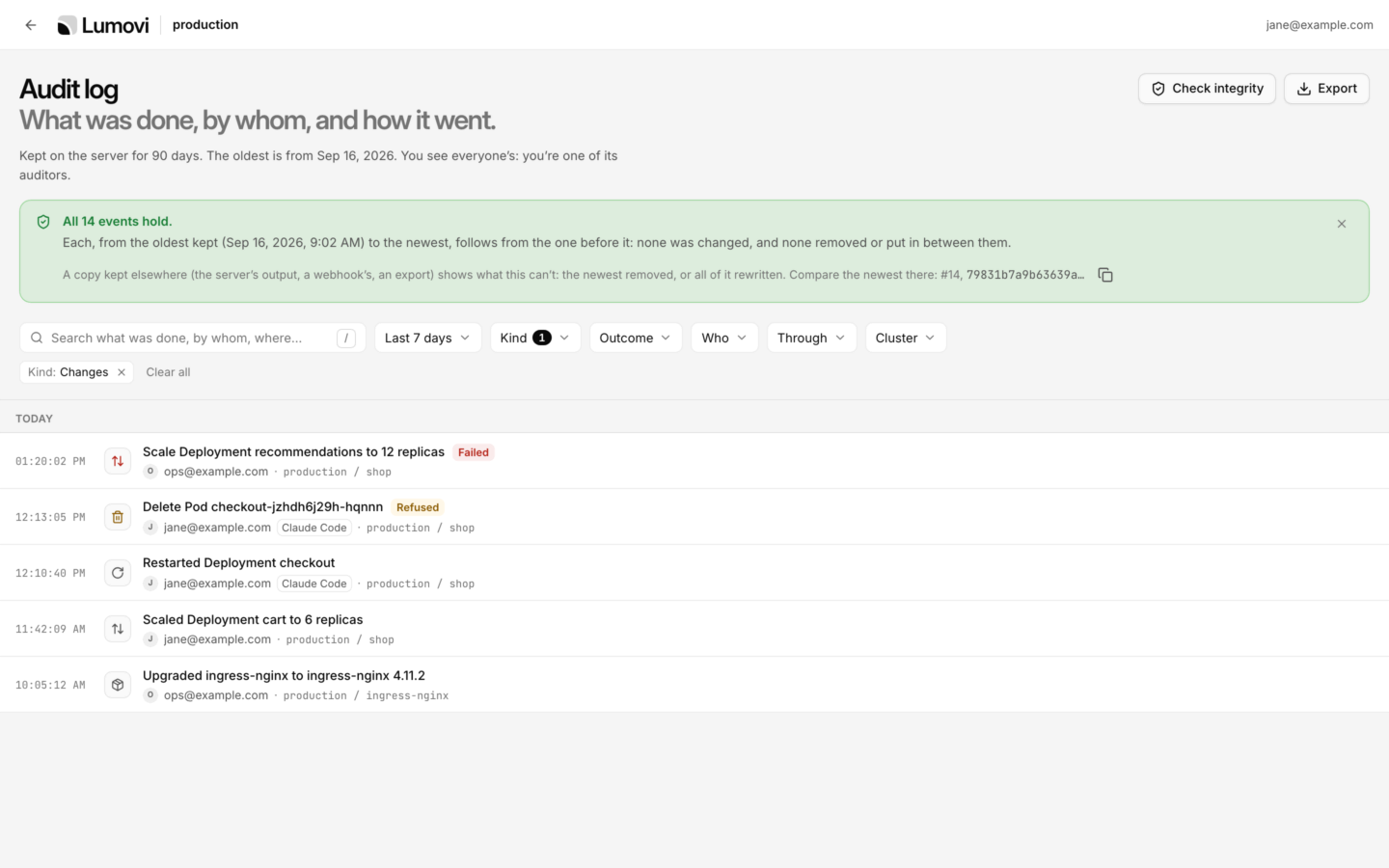

Check integrity: every event follows from the one before it, and the newest's hash, to compare with a copy kept elsewhere.
Each chain is checked against its own last event: events of another chain put in among this one’s are one place it doesn’t hold, and this chain’s events after them still follow from its own.
Two of these can happen without anyone changing anything:
- A line left unfinished, when the computer or the pod stopped as Lumovi wrote it, can’t be read. It’s listed as itself, and the events after it are whole: Lumovi went on from the last event it had.
- An event the history couldn’t keep, when its volume was full, say, leaves “Event 9 is missing.”: the chain goes on without it. An Audit events lost event (
audit.dropped) says how many, and why. See When events are lost.
What it proves, and what it doesn’t
The chain shows that, in the events you check, none was changed, and none taken out or put in between them, since they were recorded, unless whoever did it also rewrote every event after it. A careless edit, a line taken out, a bad restore, an event put in: those show, every one of them. It doesn’t prove more than that:- The hashes have no key. Anyone who can write the history (Lumovi’s volume, its pod, the node, or your account on your computer) can change an event, work out every hash after it again, and the chain holds.
- Events taken off the end leave no gap. The chain just stops earlier. Nor do events taken off the start: the oldest days are deleted as the history keeps only so many, and the check starts from the oldest kept.
- What Lumovi never saw isn’t in it: what’s done with
kubectl, or anything but Lumovi.
Check it yourself
This script checks events away from Lumovi: in an export, the history’s files, the server’s output, or what a webhook received. It needs bash,jq (1.6 or later) and sha256sum. On a Mac without sha256sum, use shasum -a 256 in its place.
check-audit.sh
1 when something doesn’t hold.
- One chain, unless
--chains. A history, or an export of it, is one chain: another in it is listed once, as a place it doesn’t hold, as the page’s check lists it. A server’s output, or a webhook’s, can hold several, each checked on its own with--chains: one for each start without a volume, and one for each replica. Either way, like the page, it checks each event against the last of its own chain. - Lines that aren’t events are left out: a server’s output has its own log lines between them. A line that starts like an event but can’t be read is listed.
- The first event of a chain is taken as it is: what came before it isn’t there to check.
sha256sum once for each event, which takes about a minute for 10,000.
- An export
- The desktop app's files
- A server's history
- The server's output
- A webhook
Export JSON Lines from the Audit log page, with no search and no filters but how far back: what the filters leave out would be gaps. On a server, only an auditor’s export has everyone’s events.
Where the chain can’t be checked
The chain holds only where every event of it is there, once, in order. These don’t have that:- An export with a search or a filter has some events only, and so gaps. So has an export by someone who isn’t an auditor: it has only their own events. How far back is fine: it keeps one stretch of the chain whole.
- A CSV export: it leaves out
prev, and fields the hash covers. Itschain,seqandhashcolumns still let you find each event in a copy kept elsewhere. - The server’s output, once lines went missing: a log collector dropped some, or the node rotated a log file before it was collected.
- A webhook’s events, once some were let go: refused with
400,413or422, pushed out of a full buffer, or still waiting as Lumovi stopped. And a batch whose answer didn’t come in time is sent again, so some events can arrive twice: take repeats out by theirid, or check the history instead. What Lumovi let go is counted: see When events are lost. - A history in memory begins a new chain each time Lumovi starts, and the page checks only since then.
The audit log
Finding events, one event’s details, exports.
Audit events
Every field and action, as recorded.