Everything Lumovi can do to each kind of object, where to find it, and the options each action has.
Open an object and its actions are right there. Each one checks your permissions first, names the cluster, and shows the equivalent kubectl command before it does anything. See Changing things safely.
The common actions are buttons at the top of the panel. The rest are under More actions (⋯), or press .
On the row
Right-click any row for its actions, plus Open, Copy name, Copy namespace/name, Copy kubectl describe and, for pods, Copy kubectl logs.
In the command palette
With an object open, ⌘K lists its actions first. Type a few letters of the action and press ↵.
From the keyboard
⌘⌫ deletes the open object. ⌘S reviews a YAML edit.
On Windows and Linux, use Ctrl wherever this page shows ⌘.An action you can’t take stays in the menu, disabled, with the reason: your account isn’t allowed to (say, “Your account can’t delete pods in shop.”), or the cluster is read-only.
The detail panel shows up to two actions as buttons, those that depend on the object’s state first. Every action is also in ⋯.
Kind
Buttons
Deployments
Scale, Restart. While a rollout is paused: Resume rollout, Scale.
StatefulSets
Scale, Restart
DaemonSets
Restart
ReplicaSets
Scale
Pods
Shell on a running pod, and Restart on one a controller manages
CronJobs
Run now. While suspended: Resume, Run now.
Jobs
Resume, while suspended
Nodes
Cordon, or Uncordon on a cordoned node
Autoscalers
Edit replica range
Custom resources
Scale, with the scale subresource, and the actions their view puts first
Anything with no button of its own, like a Service, a Secret, or a Job that isn’t suspended, shows Edit YAML instead. Events have no actions at all. Everything else, like Pause rollout, Suspend, Drain… and Delete…, is in the menu only.
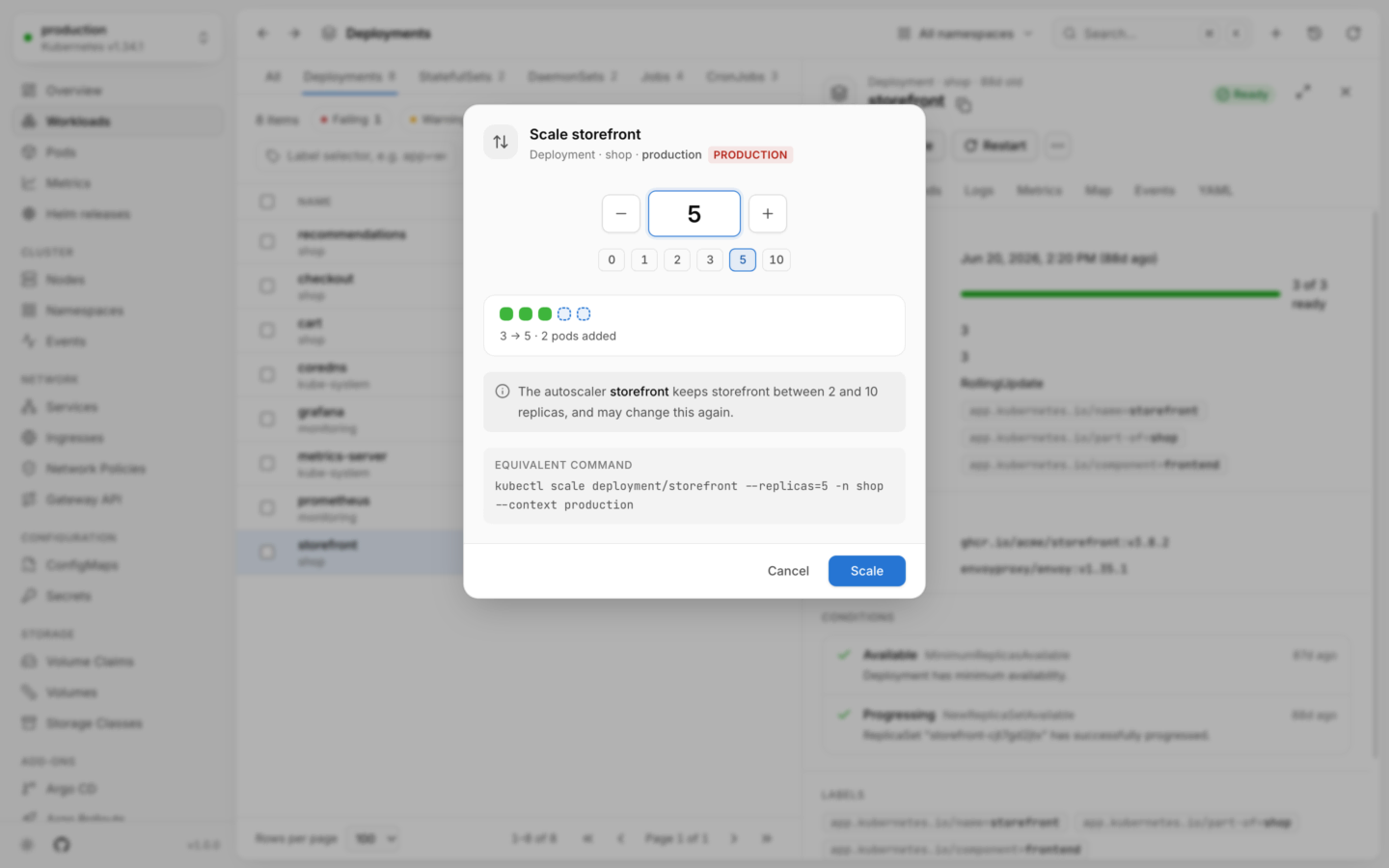
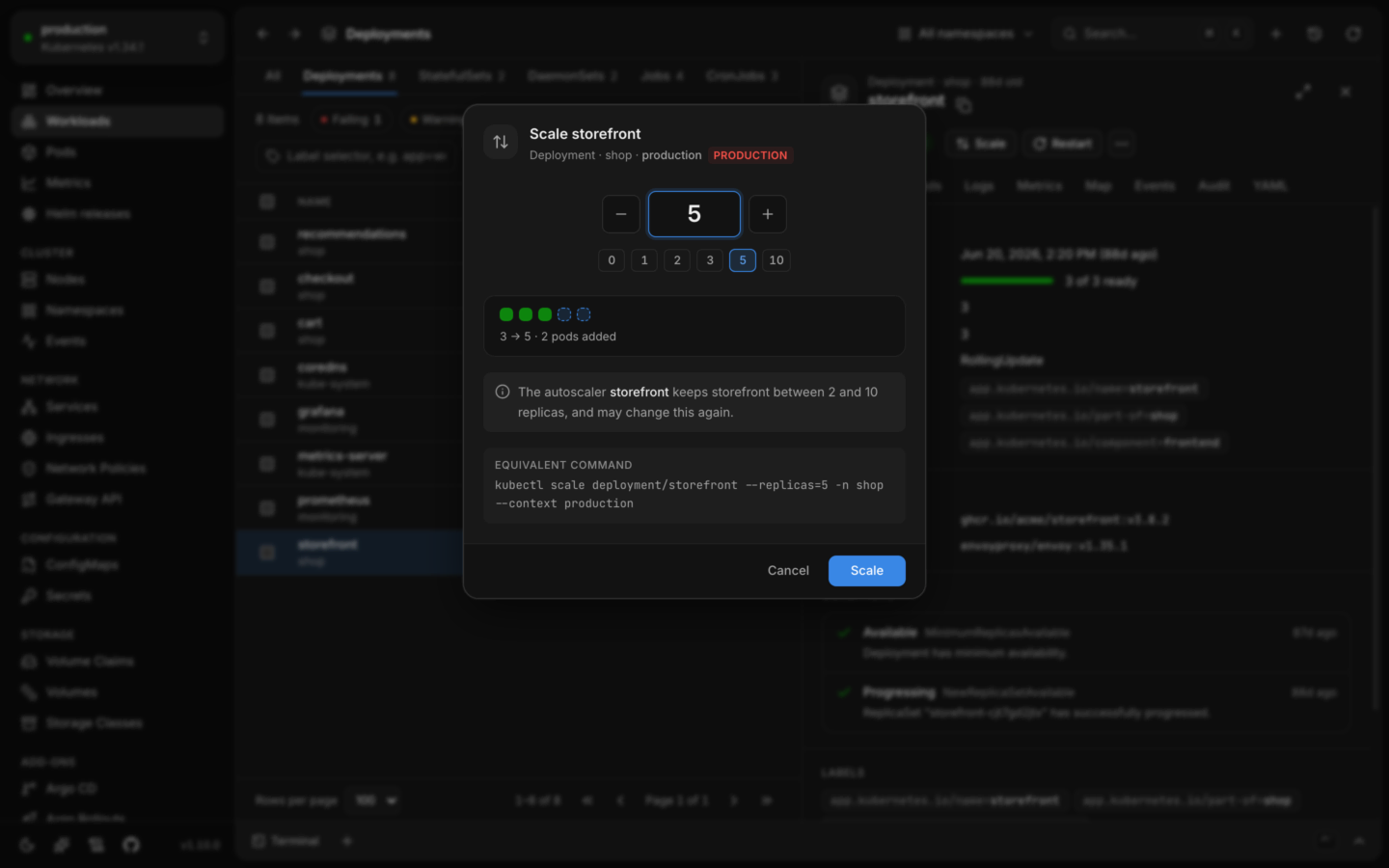
For Deployments, StatefulSets and ReplicaSets, and custom kinds that serve the scale subresource (Argo Rollouts, say).Set the replicas with the stepper, or pick a preset: 0, 1, 2, 3, 5 or 10. A preview shows which pods are added or removed. If an autoscaler manages the workload, the dialog says it keeps the workload within its range, and may change your number again.Undo from the notification scales it back.
Scaling a deployment, with what will change.
Restart
For Deployments, StatefulSets and DaemonSets, like kubectl rollout restart: new pods with the same spec. The dialog explains how the pods are replaced:
Deployments replace pods a few at a time, following the rollout strategy, so a healthy app stays available. With the Recreate strategy, every pod stops before new ones start, and the dialog warns you to expect downtime.
StatefulSets replace pods one at a time, from the highest ordinal down, each once the one before it is ready.
DaemonSets replace pods node by node.
Change image…
For Deployments, StatefulSets, DaemonSets and CronJobs. Each container has its own field, init containers included. For a Deployment, images it ran before are offered as suggestions.Pods are replaced with the new images, following the rollout strategy. For a CronJob, jobs it starts from then on use the new images. Confirm with Update, like kubectl set image.Undo restores the previous images.
Roll back…
For Deployments, StatefulSets and DaemonSets, like kubectl rollout undo. The dialog lists the earlier revisions, newest first, each with its age, its change cause when it has one, and the image of each container. Images that differ from what’s running now are highlighted, and Running now says which revision is current.Pick one and choose Roll back. Lumovi puts that revision’s pod template back, and the workload rolls out as usual.
Pause rollout and Resume rollout
For Deployments, like kubectl rollout pause and resume. These run at once, without a dialog, and can be undone from the notification.
Adds a debug container with tools to a running pod, like kubectl debug, and opens a shell in it. Works for distroless images too. See Shells and debug containers.
Forward a port…
Forwards a port on your computer to a running pod, or to a service’s pod. See Port forwarding.
Desktop app only: a browser has no computer of yours to forward a port to.
Restart
For pods that a controller manages. Lumovi deletes the pod: it shuts down gracefully, and its controller starts a new one to replace it. The action is Restart, like a workload’s; the dialog’s button reads Restart pod.
Evict…
Evicts the pod through the Eviction API. Unlike a delete, evictions respect PodDisruptionBudgets: if the eviction would leave too few pods running, the cluster refuses, and nothing changes. The dialog says whether a controller will start a replacement.
Delete… and force delete
Deleting a pod says whether its controller replaces it. Tick Force: skip graceful shutdown to remove it from the API at once, without waiting for its containers to stop (--grace-period=0 --force). The button changes to Force delete.For a pod that’s already stuck terminating, the option starts ticked. Its containers may keep running if their node is unreachable.
Starts a job from a CronJob’s template right away, outside its schedule, like kubectl create job --from=cronjob/…. The job is named after the CronJob, with -manual- and five random characters, and carries the cronjob.kubernetes.io/instantiate: manual annotation. If the schedule is suspended, it stays suspended.The notification has an Open button that takes you to the new job.
Suspend and Resume
For CronJobs and Jobs, by setting spec.suspend. A suspended CronJob starts no new runs; a suspended Job stops its pods until you resume it. They run at once, and can be undone from the notification. Suspend isn’t offered for a Job that has completed.
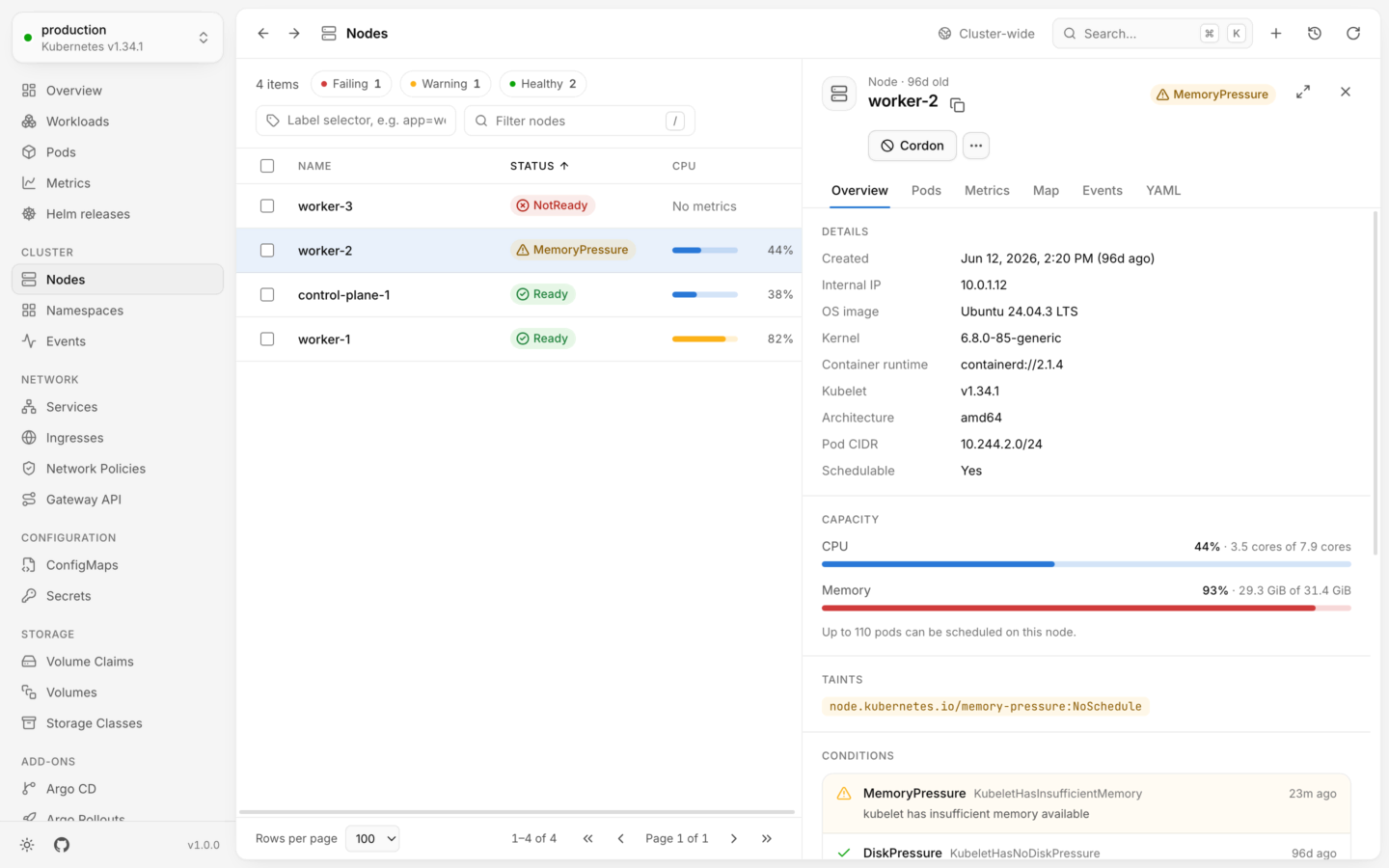
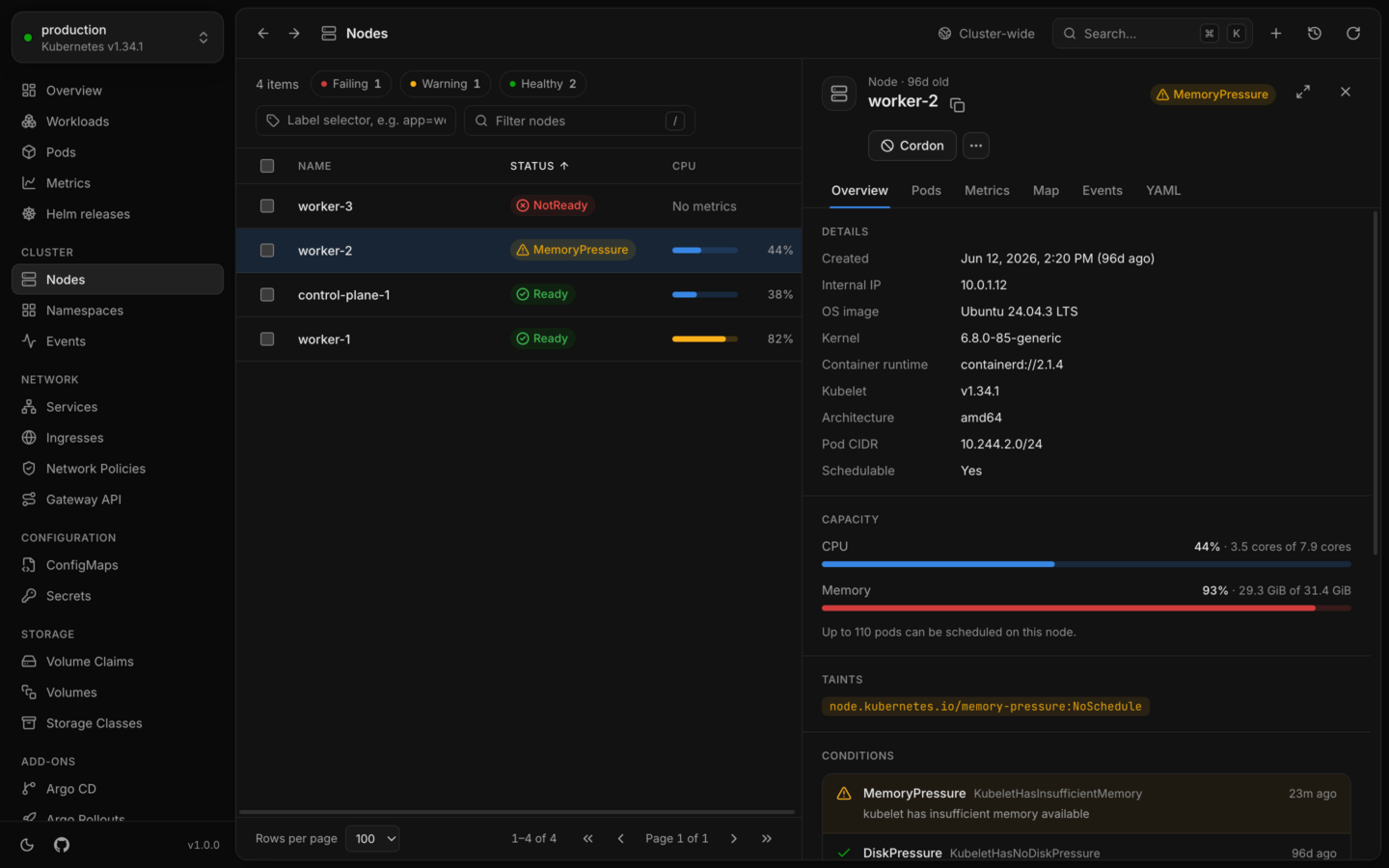
Cordoning marks a node unschedulable, so no new pods land on it. These run at once, and can be undone from the notification.
Drain…
Cordons the node, then evicts its pods, like kubectl drain --ignore-daemonsets. The dialog lists every pod on the node and what will happen to it:
Pod
What happens
Managed by a controller
Evicted, and started again elsewhere
Part of a DaemonSet
Skipped: it stays on the node
A static pod
Skipped: the kubelet manages it
Keeps data in an emptyDir volume
Needs Delete local data: the data is lost
Has no controller
Needs Evict pods without a controller: nothing restarts it elsewhere
Drain stays disabled until you’ve ticked the options the node’s pods need. The two options add --delete-emptydir-data and --force to the command.Evictions run four at a time, respect PodDisruptionBudgets, and show their progress per pod. A pod whose eviction fails says why, and can be retried. In a cluster named like production, you type the node’s name first.
A node under memory pressure, with what runs on it and ways to drain it.
For HorizontalPodAutoscalers: set the Minimum and Maximum replicas, and choose Save. The minimum is at least 1, and can’t be above the maximum. The dialog says what happens next: the workload scales up to a new minimum, down to a new maximum, or stays put when it’s within the new range.Undo puts the previous range back.
Expand volume…
For bound PersistentVolumeClaims. Enter the new size in Mi, Gi or Ti; it starts at about twice the current size, and must be larger than now. If the claim’s StorageClass doesn’t allow volumes to grow, the dialog says so and won’t expand it.The storage provider grows the volume. Some filesystems only finish growing once a pod mounts the volume again, and volumes can’t be made smaller afterwards.
Labels and annotations, each on a tab, as key and value pairs. Keys and label values are checked the way the API server checks them, as you type. The kubectl.kubernetes.io/last-applied-configuration annotation is left out: it’s huge, and kubectl apply manages it.Undo puts the previous labels and annotations back.
Edit YAML
Opens the object in the YAML tab’s editor. Changes are checked by the cluster and shown as a diff before they’re saved. See Edit YAML.
Delete…
For objects that own others (Deployments, StatefulSets, DaemonSets, ReplicaSets, Jobs and CronJobs), you choose what happens to what it owns:
Option
Effect
kubectl
Delete what it owns too
Its pods are removed right after it (the default)
Delete what it owns first
It stays, marked for deletion, until its pods are gone
--cascade=foreground
Keep what it owns
Its pods keep running without a controller
--cascade=orphan
Namespaces, nodes, volumes, volume claims, storage classes and CustomResourceDefinitions ask you to type the name first, and so does anything in a cluster named like production.
Custom kinds that serve the scale subresource can be scaled like Deployments. Views add actions of their own, like Sync for an Argo CD application or Reconcile for a Flux Kustomization. They go through the same checks as Lumovi’s own: permissions first, the equivalent command shown, and undo when the view spells one out.Most view actions patch the object, with the kubectl patch command shown, and run at once. Some ask first, and their names end in …:
A confirmation, in the view’s own words, when it asks for one.
Values to fill in: text, a number, or one of a few choices, like the replica count Pause at… keeps a KEDA ScaledObject at.
A new object to create, like the Backup that Back up now… makes for a CloudNativePG cluster. The dialog shows the object’s YAML before it’s created, and the command is kubectl create -f with its name. Lumovi checks that you may create that kind, rather than change the object, and the notification has Open to go to it.
The dialog’s button is the action’s name. See Built-in views, and Write a view to add actions of your own.