


Two ways to run it
It’s the same app either way. Pick the one that fits, or use both.On your desktop
A native app for macOS, Windows and Linux. It reads your kubeconfig, like
kubectl, and opens any cluster in it.In your cluster
One Helm chart serves Lumovi as a web dashboard. Your team opens a link, signs in, and sees what their own RBAC allows.
What it does
Health first
Every object gets a clear status, and problems sort to the top.
Usage next to capacity
Live CPU and memory against requests, limits and what’s allocatable.
Safe changes
Scale, restart, roll back or drain, with the
kubectl command shown, and undo.Logs, merged
Every pod of a workload in one stream, in the order lines were written.
Shells and debugging
A shell in any container, or a debug container in pods that have none.
Usage history
Charts from your Prometheus or VictoriaMetrics, found for you.
Helm releases
Values, revisions and diffs, read in place. Upgrade with a dry run first.
Custom resources
Every kind the cluster serves, with views for popular projects.
Keyboard first
⌘K goes anywhere. Every view has a shortcut.
Made for the day something breaks
Problems come first
Problems come first
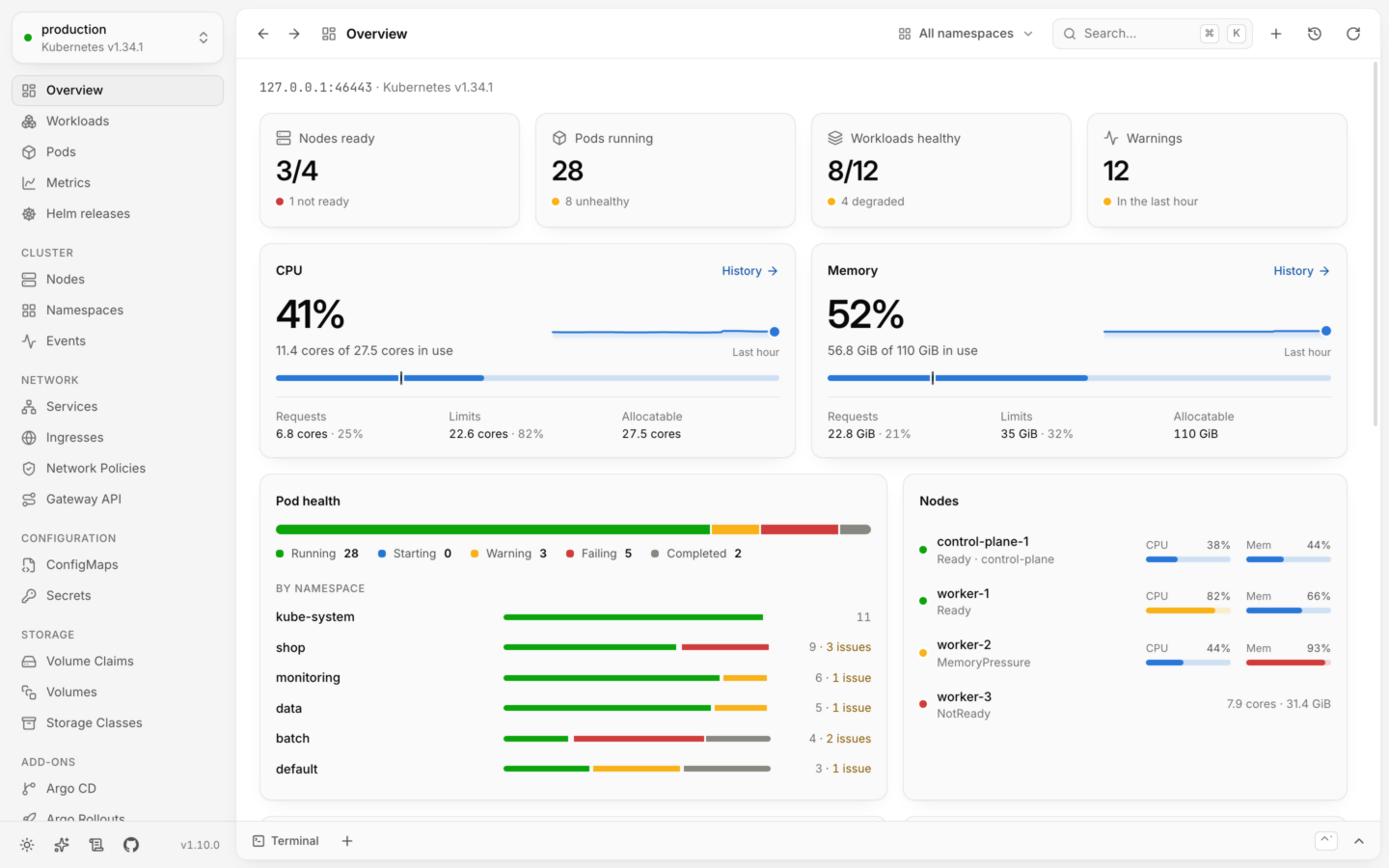
Lists sort by health, so you won’t scroll past 400 healthy pods to find the one that isn’t. The overview lists what needs attention and the latest warnings. Statuses always come with an icon and a label, never color alone. How health works.
Nothing surprising
Nothing surprising
Every change names the cluster and shows the equivalent
kubectl command. YAML edits are checked by the cluster with a dry run and shown as a diff before they’re saved. Changing things safely.Hard to do by accident
Hard to do by accident
Lumovi asks the cluster what you’re allowed to do before offering it. Risky deletes, and deletes in a cluster named like production, ask you to type the name first. Read-only mode turns changes off entirely.
Calm when things go wrong
Calm when things go wrong
A lost connection shows a banner and keeps the last data on screen, instead of a blank window. Every error says what happened and what to try. Troubleshooting.
Built for big clusters
Built for big clusters
Lists load in chunks of 500 and are paginated and virtualized, so thousands of pods stay smooth. A label selector narrows a list on the server.
Requirements
Kubernetes1.25 or later
kubectlNot needed
HelmOnly to change releases
DesktopmacOS 12+, Windows 10+, 64-bit Linux
Free and open source
Lumovi is free under the Apache 2.0 license, with no telemetry and no accounts. It talks to your clusters, and otherwise only to GitHub to look for new versions (which you can turn off) and to Artifact Hub when you search it for charts. See Privacy and security.Star it on GitHub
Source, issues and releases.
Sponsor its development
Made in spare time. Sponsoring keeps it going.